Mọi phép tính báo cháy ngay tại công trình
FireSpec Pro là bộ công cụ bỏ túi cho kỹ sư thiết kế, thợ lắp đặt và kỹ thuật bảo trì hệ thống báo cháy. Tính ắc quy, sụt áp mạch NAC, bố trí đầu báo và tra mã lỗi tủ, kể cả khi không có sóng.
- Chạy offline
- NFPA 72 · BS 5839-1
- m · mm² hoặc ft · AWG
- Tiếng Việt · English
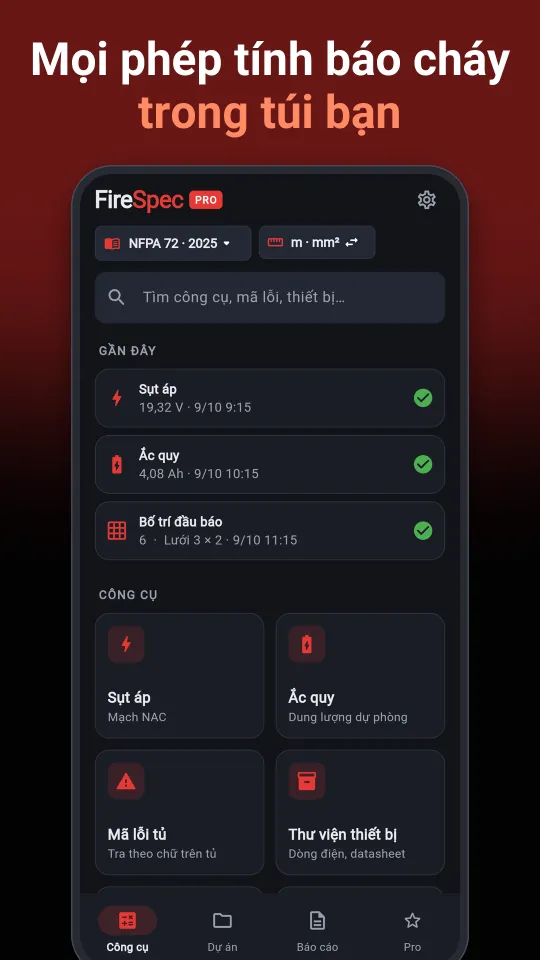
Tính năng
Mọi kết quả đều kèm công thức và giả định đã dùng, để anh em dễ kiểm tra và giải trình với tư vấn, chủ đầu tư.
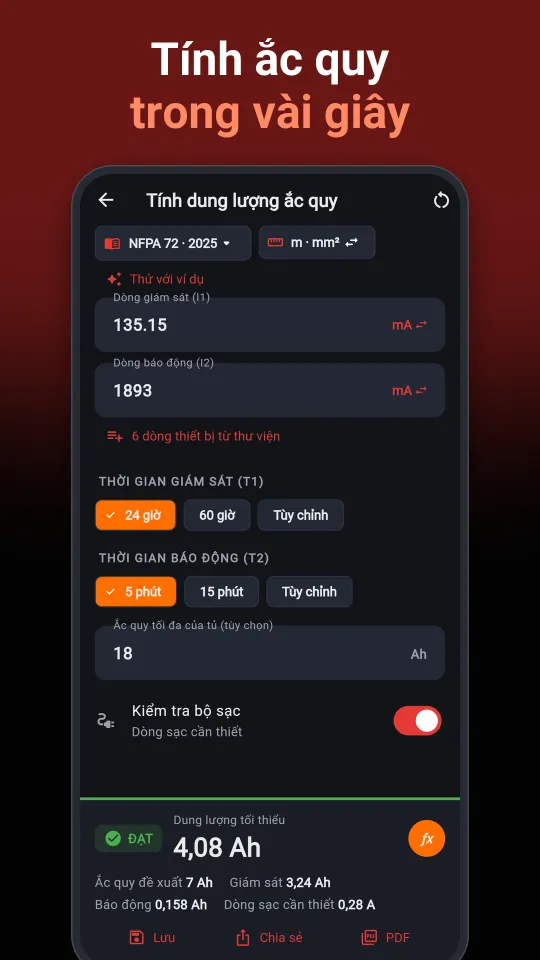
Ắc quy dự phòng
Tính theo NFPA 72 hoặc BS 5839-1. Gợi ý dung lượng bình, kiểm tra giới hạn của tủ và dòng sạc cần thiết.
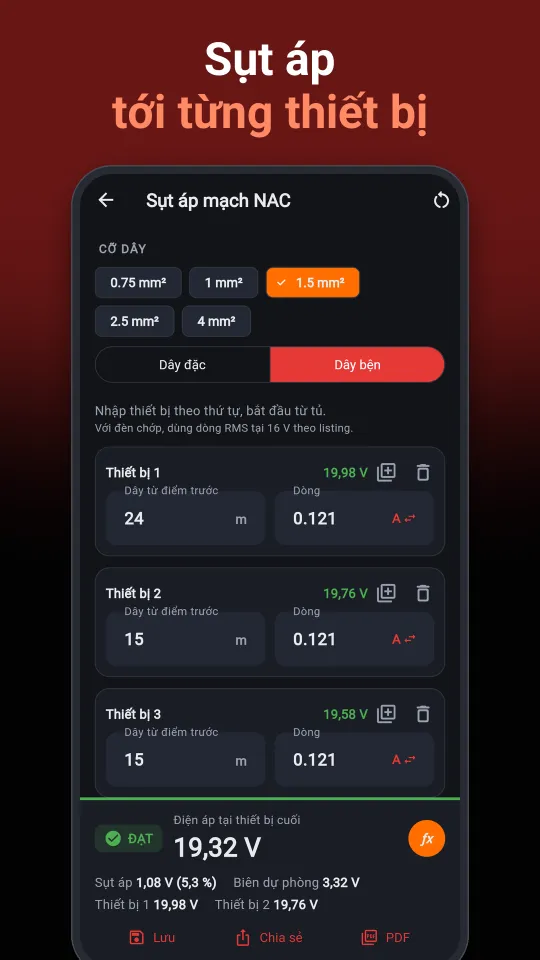
Sụt áp mạch NAC
Tính cuối dây hoặc từng điểm. Xem điện áp tại từng thiết bị, chiều dài tối đa và gợi ý cỡ dây.
Bố trí đầu báo, đèn chớp
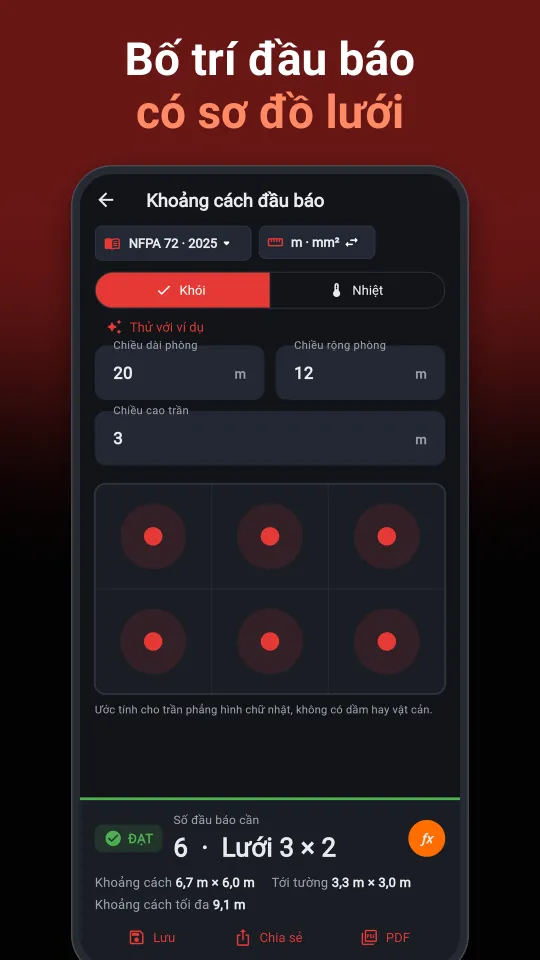
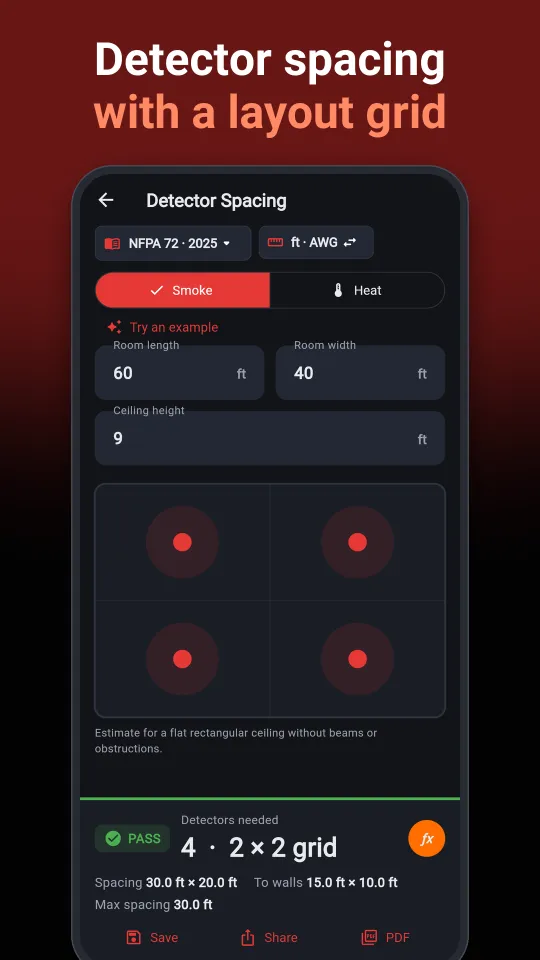
Khoảng cách đầu báo trên trần phẳng kèm sơ đồ lưới. Candela đèn chớp gắn tường và kiểm tra mức âm thanh.
Tra mã lỗi tủ
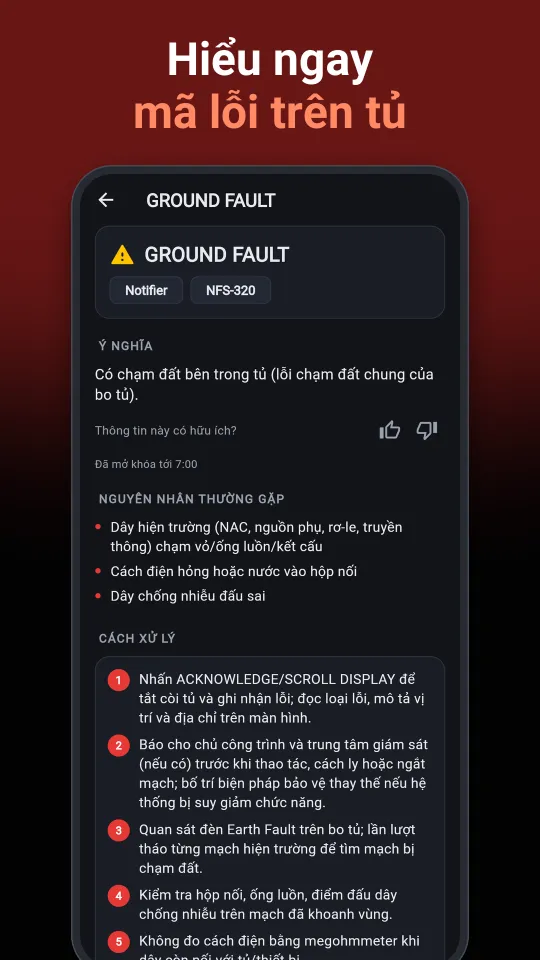
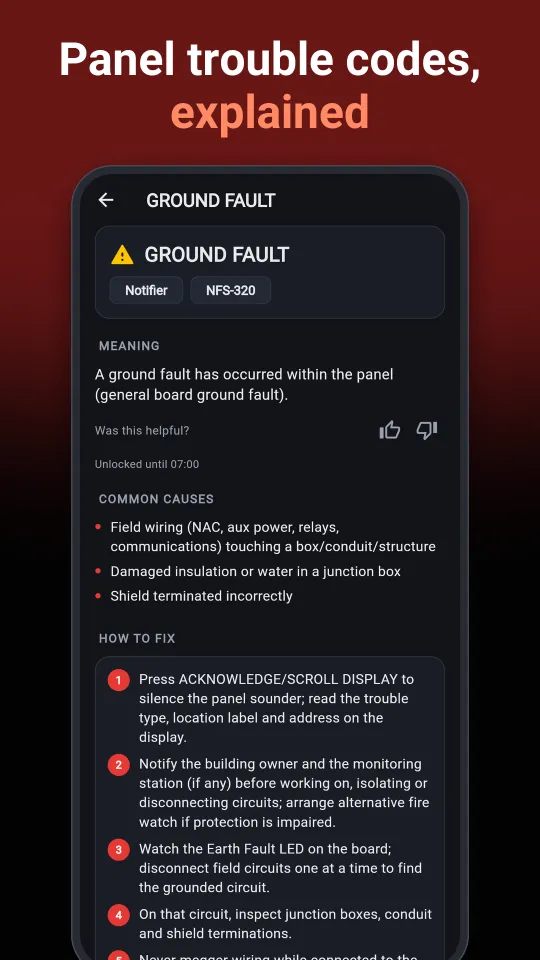
Gõ đúng chữ hiển thị trên tủ, ví dụ GROUND FAULT, để xem ý nghĩa, nguyên nhân và các bước kiểm tra. Hỗ trợ Fire-Lite, Notifier, GST, Hochiki…
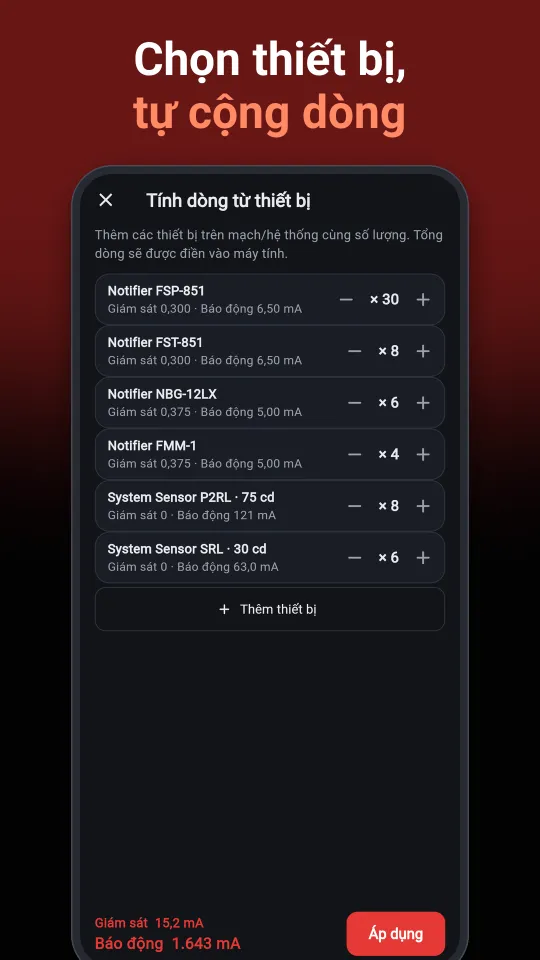
Thư viện thiết bị
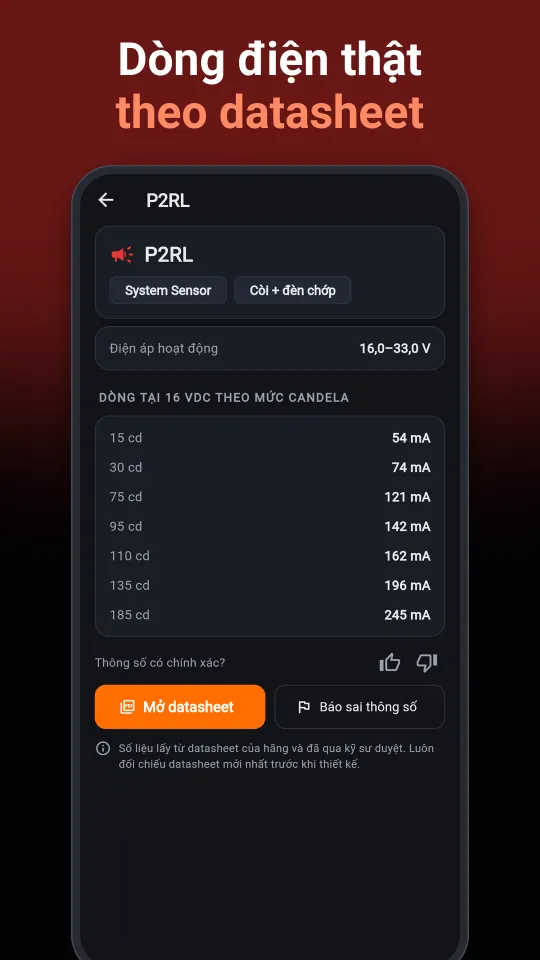
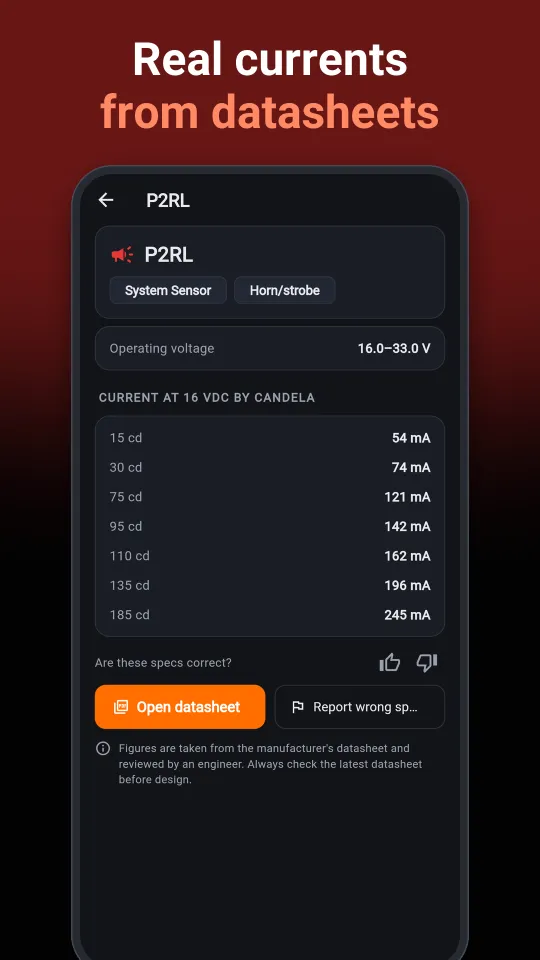
Dòng giám sát, dòng báo động, bảng dòng theo candela và link datasheet. Chọn thiết bị đưa thẳng vào phép tính ắc quy và sụt áp.
Dự án & báo cáo PDF
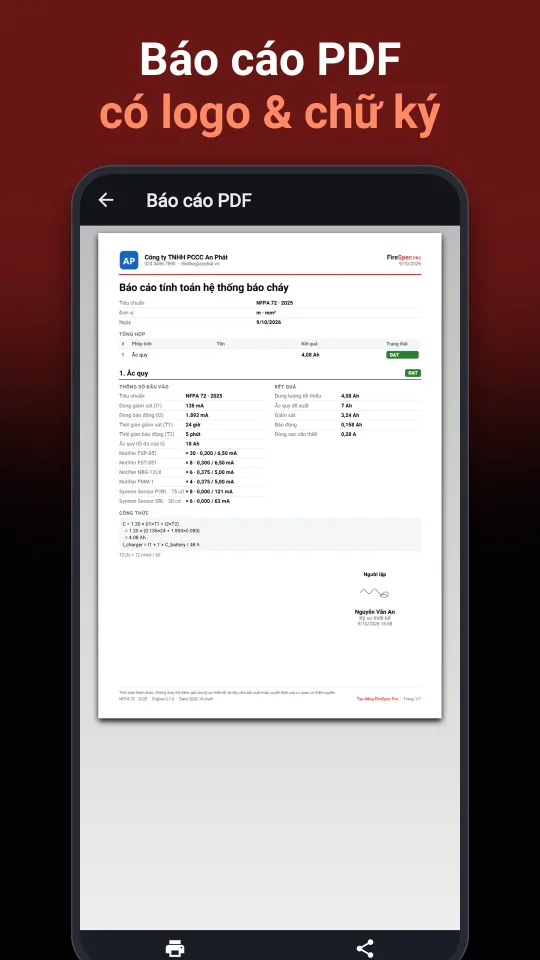
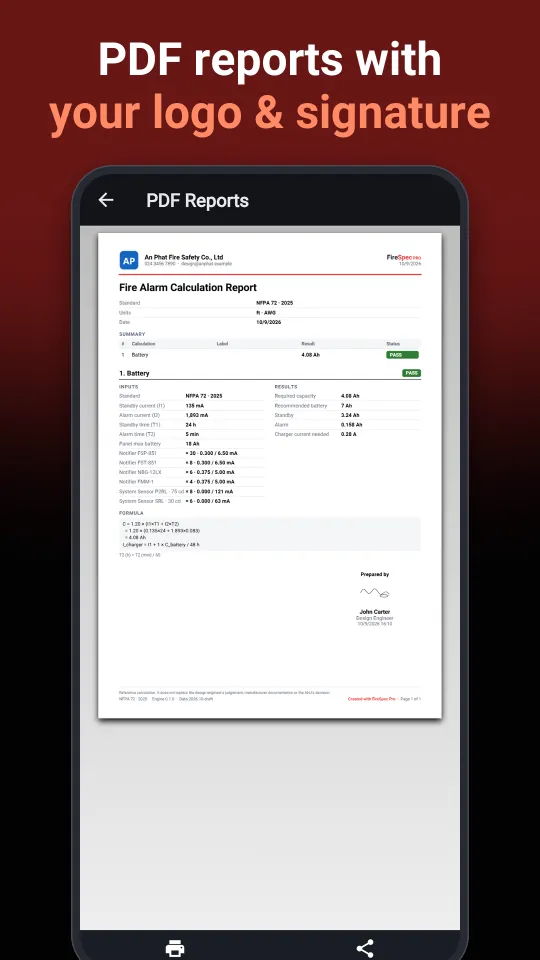
Lưu phép tính theo dự án. Xuất báo cáo PDF có logo công ty, công thức, giả định và chữ ký. Chia sẻ ảnh kết quả chỉ với một chạm.
Xem trước
Vuốt ngang để xem thêm.
Hướng dẫn sử dụng
Năm phút để làm quen. Các tên nút dưới đây đúng như trong app.
-
Chọn tiêu chuẩn và đơn vị
Ở màn Công cụ, bấm nút tiêu chuẩn (NFPA 72 hoặc BS 5839-1) và nút đơn vị (m · mm² hoặc ft · AWG) ở đầu màn hình. Bấm biểu tượng bánh răng để mở Cài đặt: ngôn ngữ, giao diện sáng/tối và Chế độ găng tay (nút và ô nhập lớn hơn khi làm hiện trường).
-
Tính ắc quy dự phòng
Mở Ắc quy, nhập dòng giám sát, dòng báo động và thời gian. Thay vì tra datasheet, bấm Thiết bị, chọn model và số lượng rồi bấm Áp dụng: app tự cộng dòng. Kết quả gợi ý dung lượng bình và báo ĐẠT hoặc KHÔNG ĐẠT so với giới hạn của tủ.
-
Kiểm tra sụt áp mạch NAC
Mở Sụt áp, nhập chiều dài dây, cỡ dây và các thiết bị trên mạch. Chế độ cuối dây cho kết quả nhanh. Chế độ từng điểm hiện điện áp tại mỗi thiết bị và chiều dài tối đa của mạch.
-
Tra mã lỗi tủ
Mở Mã lỗi tủ và gõ chữ đang hiện trên màn hình tủ, không cần dấu, ví dụ GROUND FAULT. Lần đầu cần có mạng để tải thư viện, sau đó dùng được offline. Bấm Cập nhật để tải mã lỗi mới. Thấy thiếu mã hoặc cách xử lý chưa đúng, bấm Gửi góp ý.
-
Lưu dự án và xuất báo cáo
Làm xong phép tính, bấm Lưu vào dự án. Vào Cài đặt → Hồ sơ công ty để điền tên, địa chỉ và logo một lần. Từ dự án hoặc tab Báo cáo, xuất PDF có logo, công thức và chữ ký. Bấm Chia sẻ để gửi ảnh kết quả qua Zalo hoặc email.
-
Gói Pro và khôi phục giao dịch
- Mở tab Pro, chọn gói tháng hoặc năm. Thanh toán qua Google Play hoặc App Store.
- Đổi máy hoặc cài lại app: vào tab Pro, bấm Khôi phục giao dịch. Dùng cùng tài khoản Google hoặc Apple ID đã mua.
- Hủy gia hạn: trên Android, mở Google Play → ảnh đại diện → Thanh toán và gói thuê bao. Trên iPhone, mở Cài đặt → tên của bạn → Đăng ký.
Miễn phí và Pro
Mọi công cụ tính đều dùng miễn phí. Gói Pro dành cho người dùng thường xuyên.
Miễn phí
Có quảng cáo
- Tất cả công cụ tính toán
- Thư viện thiết bị
- Xem một video ngắn để mở từng lần: xuất PDF, sụt áp từng điểm, kiểm tra bộ sạc, chi tiết mã lỗi
FireSpec Pro
Theo tháng hoặc theo năm
- Không quảng cáo
- Xuất báo cáo PDF không giới hạn, có logo và chữ ký
- Sụt áp từng điểm và kiểm tra bộ sạc
- Tra mã lỗi tủ tất cả các hãng, không giới hạn
- Dự án không giới hạn
Người dùng mới đủ điều kiện được dùng thử miễn phí. Gói tự động gia hạn, hủy bất cứ lúc nào trong cửa hàng ứng dụng. Giá hiển thị trong app theo đơn vị tiền tệ của bạn. Xem Điều khoản sử dụng.
Hỏi đáp
App có cần mạng không?
Các phép tính chạy hoàn toàn offline. Chỉ cần mạng khi tải hoặc cập nhật thư viện mã lỗi và thiết bị, khi gửi góp ý và khi mua gói Pro.
Có phải tạo tài khoản không? Dữ liệu lưu ở đâu?
Không cần tài khoản. Phép tính, dự án, hồ sơ công ty và chữ ký chỉ lưu trên điện thoại của bạn. Xem Chính sách quyền riêng tư.
Tôi đã mua Pro nhưng đổi điện thoại thì sao?
Cài app trên máy mới, đăng nhập cùng tài khoản Google hoặc Apple ID, mở tab Pro và bấm Khôi phục giao dịch.
Tủ của tôi chưa có trong thư viện mã lỗi?
Bấm Gửi góp ý trong app, ghi hãng, model và nội dung hiển thị, có thể kèm ảnh. Chúng tôi bổ sung thư viện liên tục.
FireSpec Pro là công cụ tham khảo. Hãy luôn đối chiếu kết quả với quy chuẩn, tiêu chuẩn áp dụng cho công trình, tài liệu của nhà sản xuất và hồ sơ thiết kế được duyệt. FireSpec Pro không liên kết hay được bảo trợ bởi NFPA, BSI hoặc bất kỳ hãng sản xuất nào.
Fire alarm calcs, right on site
FireSpec Pro is the pocket toolkit for fire alarm designers, installers and service technicians. Size standby batteries, check NAC voltage drop, lay out detectors and look up panel trouble codes, even with no signal.
- Works offline
- NFPA 72 · BS 5839-1
- ft · AWG or m · mm²
- English · Tiếng Việt
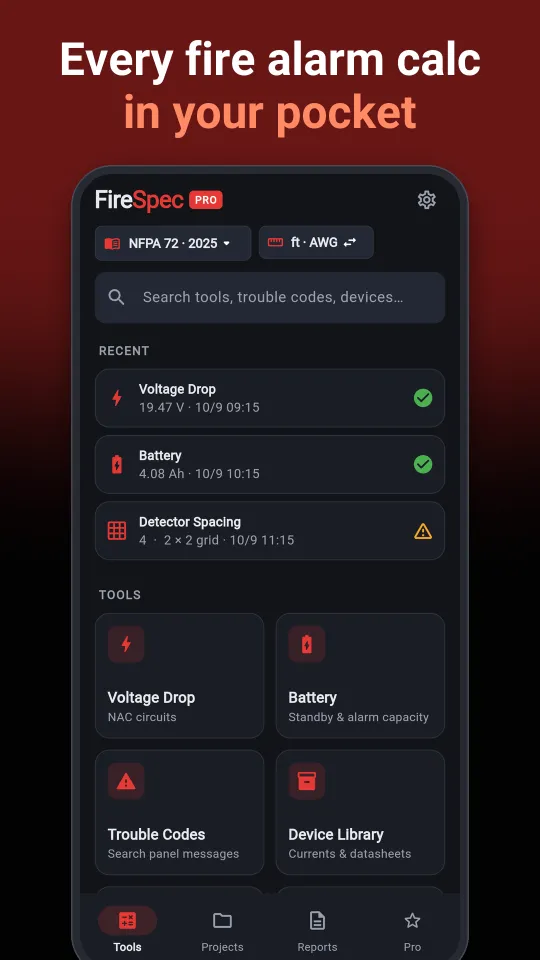
Features
Every result shows the formula and assumptions used, so it is easy to check and to explain to reviewers.
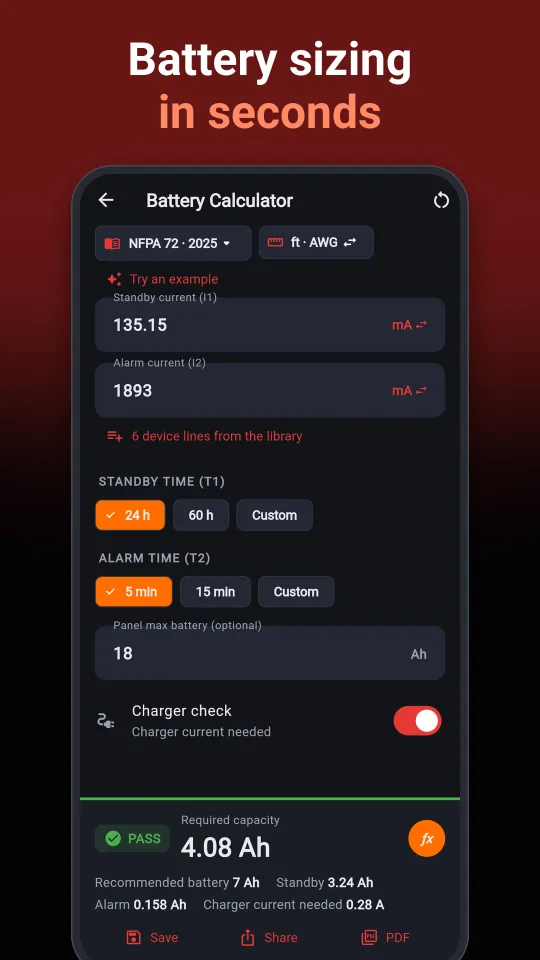
Standby battery
NFPA 72 or BS 5839-1 method. Recommended battery size, panel maximum check and charger current.
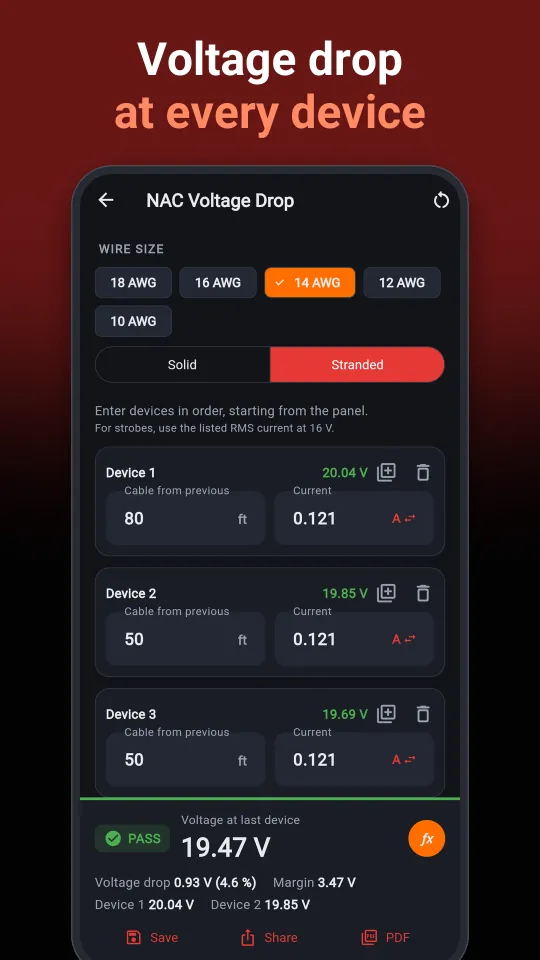
NAC voltage drop
End-of-line or point-to-point. Voltage at every device, maximum circuit length and wire size suggestion.
Detector spacing & strobes
Detector spacing on smooth flat ceilings with a layout grid. Wall-mounted strobe candela and audibility check.
Panel trouble codes
Type what the panel shows, for example GROUND FAULT, and get the meaning, likely causes and step-by-step checks. Fire-Lite, Notifier, GST, Hochiki and more.
Device library
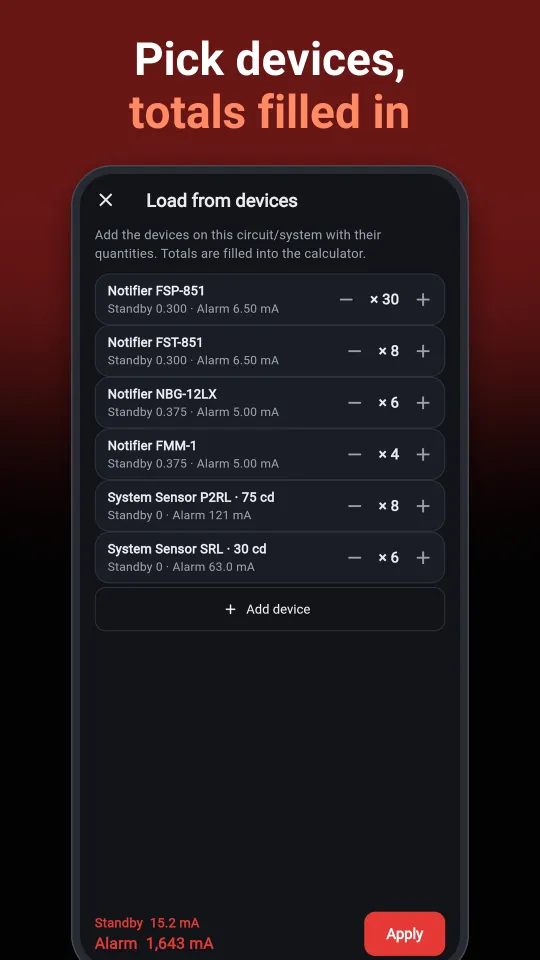
Standby and alarm currents, current-per-candela tables and datasheet links. Pick devices straight into the battery and voltage-drop calculators.
Projects & PDF reports
Save calculations into projects. Export PDF reports with your company logo, formulas, assumptions and signature. Share a clean result image with one tap.
Take a look
Swipe sideways for more.
Getting started
Five minutes to learn the app. Button names below match the app.
-
Pick your standard and units
On the Tools screen, tap the standard button (NFPA 72 or BS 5839-1) and the units button (ft · AWG or m · mm²) at the top. Tap the gear icon for Settings: language, light or dark theme, and Glove mode for bigger buttons and inputs on site.
-
Size the standby battery
Open Battery and enter standby current, alarm current and durations. Instead of reading datasheets, tap Devices, pick models and quantities, then tap Apply: the app adds up the currents. The result recommends a battery size and shows PASS or FAIL against the panel maximum.
-
Check NAC voltage drop
Open Voltage Drop and enter wire length, wire size and the devices on the circuit. End-of-line gives a quick answer. Point-to-point shows the voltage at every device and the maximum circuit length.
-
Look up a trouble code
Open Trouble Codes and type what the panel display shows, for example GROUND FAULT. The first time you need a connection to download the library; after that it works offline. Tap Update for new codes. Missing a code or found a better fix? Tap Send feedback.
-
Save projects and export reports
When a calculation is done, tap Save to project. Fill in Settings → Company profile (name, address, logo) once. From a project or the Reports tab, export a PDF with your logo, formulas and signature. Tap Share to send a result image by email or chat.
-
Pro and restoring purchases
- Open the Pro tab and choose monthly or yearly. Payment goes through Google Play or the App Store.
- New phone or reinstalled the app? Open the Pro tab and tap Restore purchases, signed in with the same Google account or Apple ID.
- To cancel: on Android, open Google Play → your profile picture → Payments & subscriptions. On iPhone, open Settings → your name → Subscriptions.
Free and Pro
All calculators are free to use. Pro is for everyday users.
Free
With ads
- All calculators
- Device library
- Watch a short video to unlock a single use: PDF export, point-to-point voltage drop, charger check, full trouble-code details
FireSpec Pro
Monthly or yearly
- No ads
- Unlimited PDF reports with logo and signature
- Point-to-point voltage drop and charger check
- Unlimited trouble codes for every brand
- Unlimited projects
Eligible new users can start with a free trial. Subscriptions renew automatically and can be cancelled anytime in the app store. Prices are shown in the app in your local currency. See the Terms of Use.
FAQ
Does the app need an internet connection?
Calculations run fully offline. A connection is only needed to download or update the trouble-code and device libraries, to send feedback and to buy Pro.
Do I need an account? Where is my data stored?
No account is needed. Calculations, projects, company profile and signature stay on your phone. See the Privacy Policy.
I bought Pro and changed phones. What now?
Install the app on the new phone, sign in with the same Google account or Apple ID, open the Pro tab and tap Restore purchases.
My panel is not in the trouble-code library.
Tap Send feedback in the app with the brand, model and what the display shows, optionally with photos. The library keeps growing.
FireSpec Pro is a reference tool. Always verify results against the codes adopted in your jurisdiction, the manufacturer's documentation and your approved design. FireSpec Pro is not affiliated with or endorsed by NFPA, BSI or any manufacturer; product names are trademarks of their respective owners.