Battery runtime
Estimate how long nominal battery energy can supply a constant load within your selected SOC window.
Size a battery. Estimate backup time. Keep the calculation and its assumptions with you, wherever the job takes you.
Android preview in development · English & Vietnamese · No account required
Illustrative constant-load estimate. Equipment output and surge limits must be checked separately.
Five tools in the current development build. Use your actual measurements and check the equipment’s documented limits.
Estimate how long nominal battery energy can supply a constant load within your selected SOC window.
Work backwards from your load, backup duration, usable capacity and efficiency.
Turn appliance watts, quantity and daily running hours into kWh per day.
Use array size, equivalent peak sun hours and losses for a simple daily production estimate.
Convert nominal amp-hours and voltage into nominal stored energy.
Save results and browse a small starter library with source links and applicability notes. A full error-code catalog is not included yet.
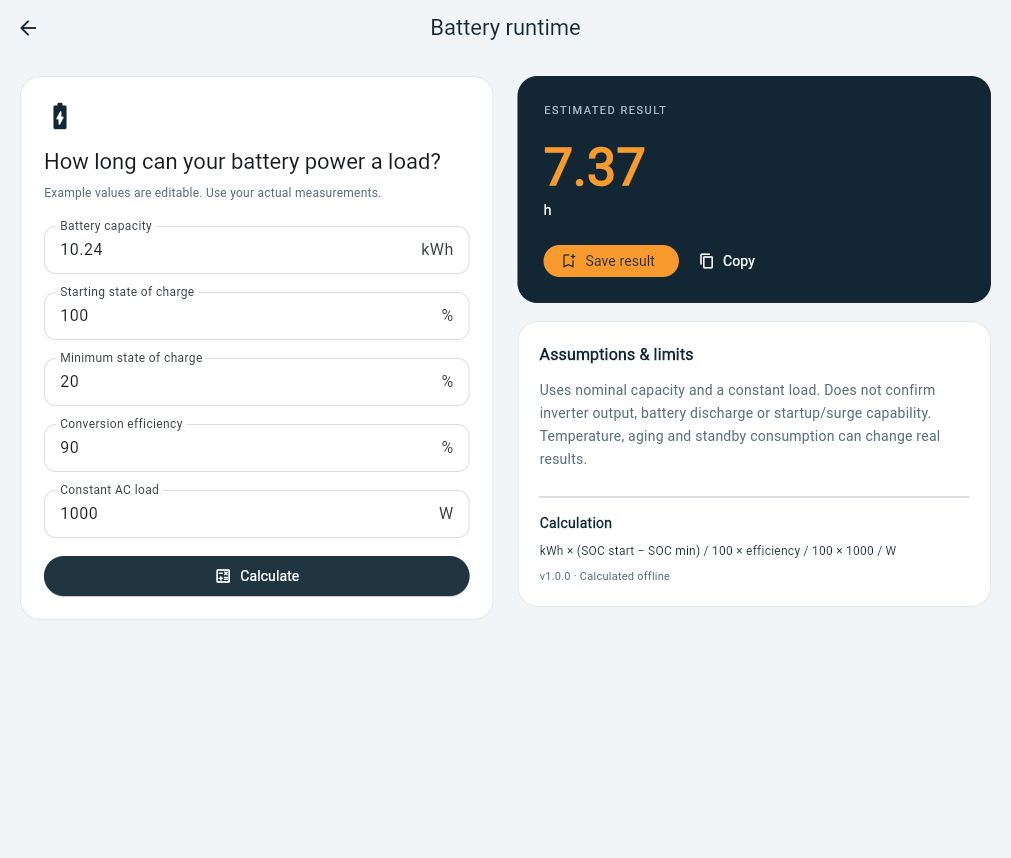
Open Tools and select the calculation you need. Replace the editable example values with your own.
Tap Calculate. Review the formula and confirm power, startup and manufacturer limits separately.
Tap Save result and reopen it from Saved. Copy text when needed. File backup/import is not available in the current build.
No account is required. Core calculations and bundled references work offline. External source links, advertising and future content downloads need a connection. No ad is required to unlock a calculation.
The app does not upload your calculation inputs, saved results or notes to the content-management server. Advertising services may process separate device and advertising data. See the privacy policy for details.
No. This build provides tools and references. It does not connect to or change device settings. Default access information applies only to the documented model and only if unchanged.
Contact [email protected] for support. Do not include device passwords or private project data in feedback.
[email protected] ↗