01
More angles. One screen.
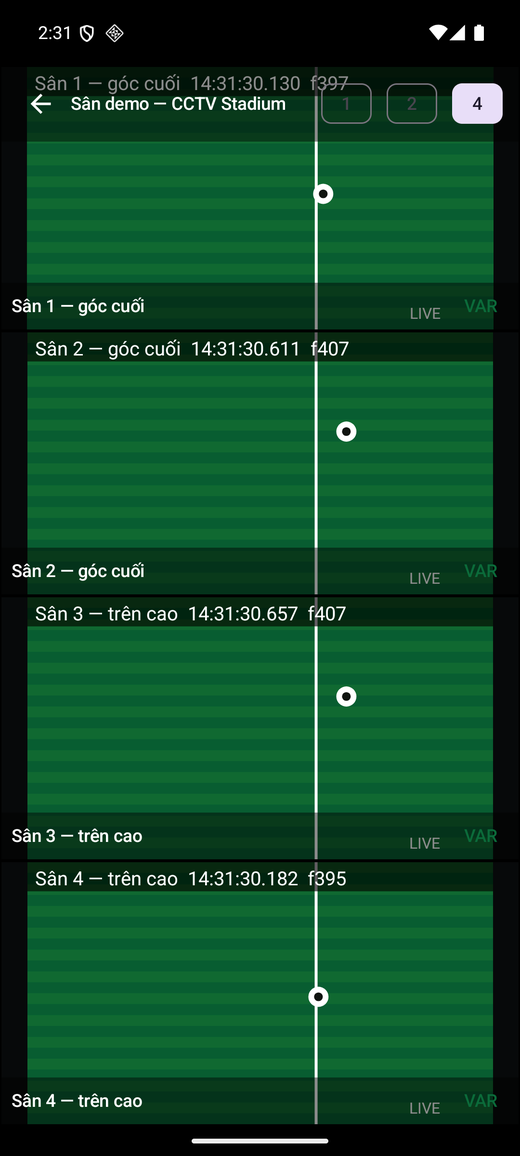
Watch 1, 2 or 4 live cameras. Tap a tile for full screen, then switch to replay.
 CCTVSTADIUMCreate venue QR ↗
YOUR VENUE CAMERAS. YOUR POINT OF VIEW.
Was the ball in or out? Replay the moment on your phone. CCTV Stadium connects to the cameras your venue already has, so both sides can watch and get back to the game.
01 / FEATURES
Your cameras capture it. You choose the angle, time and speed to see what matters.
Watch 1, 2 or 4 live cameras. Tap a tile for full screen, then switch to replay.
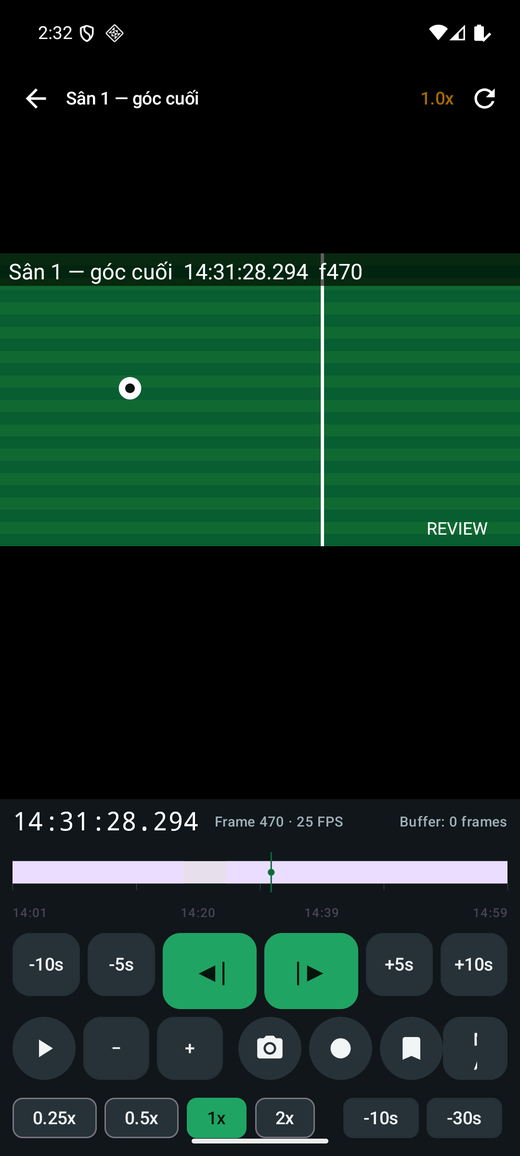
Rewind a recent play, drag the timeline, change playback speed and pause to take a closer look.
Zoom, pan and step forward frame by frame. Backward frame stepping depends on the recorder and available buffer.
Bookmark a moment, capture a frame, record or trim a clip. File export depends on device support and storage permissions.
02 / HOW IT WORKS
Your phone must be able to reach the recorder on the local network. Allow local network access when the app asks.
Install CCTV Stadium and scan the venue QR inside the app. If the QR does not include a password, enter the viewer credentials provided by the venue.
Open Live or VAR and find the moment you want to review. The venue stays in your list for your next visit.
A compatible Dahua / Dahua-OEM recorder · Recorded footage for replay · Wi-Fi that lets phones reach the recorder. Check client isolation, VLAN settings and account permissions if you cannot connect.
FOR VENUE OWNERS
Enter the venue name, recorder LAN IP or serial number, a viewer-only account and camera list. Get a digitally signed QR, download PNG / SVG or print an A4 instruction sheet.
Create a venue QR ↗Never use an admin account. Codes expire after 365 days by default; download or print yours before leaving.
CCTV STADIUM / MATCH DAY
 Venue Wi-Fi → Open app → Scan venue QRThis example QR opens the website.
A FEW THINGS TO KNOW
The app is designed for viewing at the venue over LAN. You need to be able to reach the recorder on the venue network.
The app provides footage for players to review; it does not make the call. Clarity depends on camera placement, frame rate, the recorder and Wi-Fi quality.
Check LAN connectivity, local network permission, recorder IP/port, password, and live view, playback and record-search permissions. Guest Wi-Fi must allow access to the recorder.
No. Create a separate account with access only to the channels viewers need. Change its password or reduce its recorder permissions when you need to stop sharing.
READY FOR THE NEXT MATCH
Install the free app. Join the venue Wi-Fi. Scan the code.